Enlarge a panel without changing its proportions
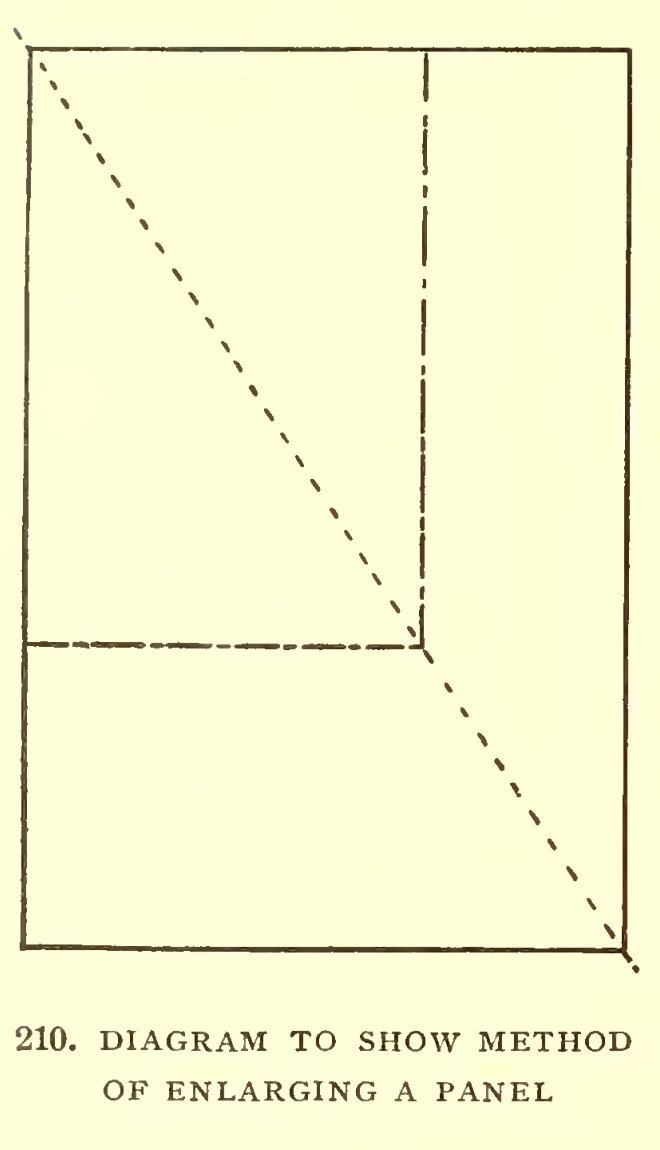
In the final chapter of Letters & Lettering, Frank Chouteau Brown turns from letterforms to the work of preparing a design. Figures 210 and 211 show two ways to enlarge a panel while keeping its height-to-width relationship. They address the outline of the field; the words and their spacing are planned separately.
Use one diagonal for a corner-anchored panel
Section titled “Use one diagonal for a corner-anchored panel”Brown begins with the required panel rectangle. A diagonal through its upper-left and lower-right corners can be extended beyond it. A second rectangle whose corner lies on that line, with sides parallel to the first, keeps the same proportions. Moving the point along the diagonal changes the size without stretching the panel into a different shape.
Keep both centerlines with two diagonals
Section titled “Keep both centerlines with two diagonals”Figure 211 crosses the panel’s diagonals. This variation preserves a horizontal and a perpendicular centerline while changing the rectangle’s size. It is useful when the design needs to remain centered in a field rather than share one corner.
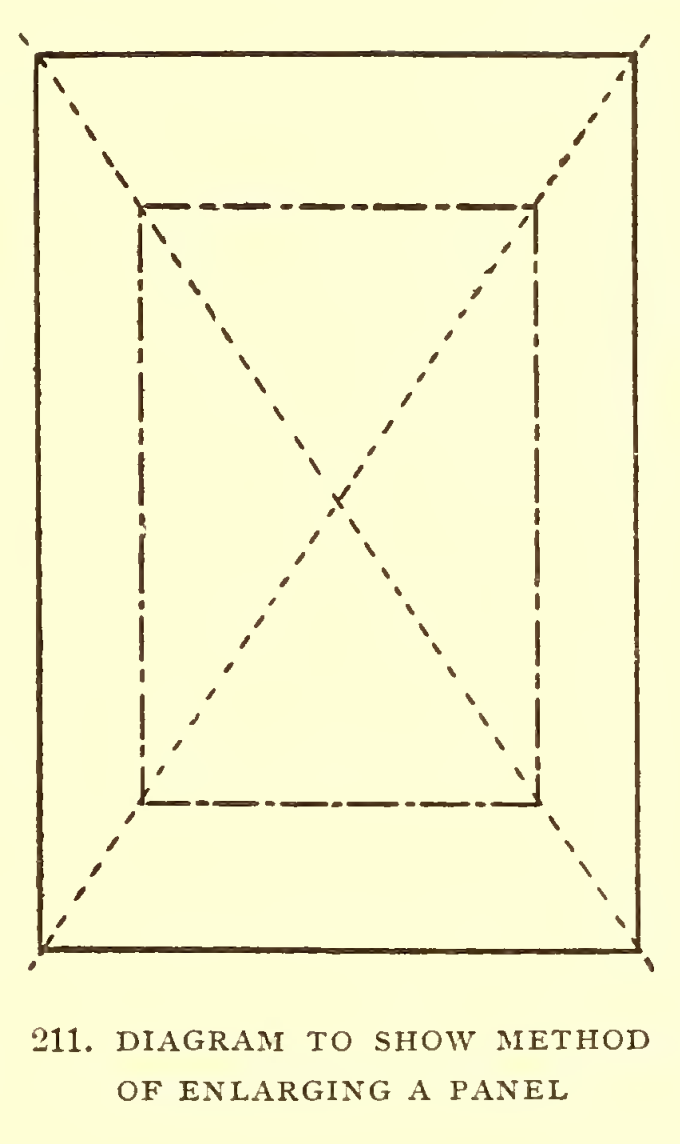
Brown notes a limit when the design includes a border of predetermined width: the diagonal construction gives the outside proportions, but the drawing also needs a chosen numerical scale so the border keeps its relative width. That is a separate decision from choosing the panel’s shape.
Try the layout as a paper study
Section titled “Try the layout as a paper study”For a memorial-design sketch, use the diagrams to compare panel proportions before arranging the inscription:
- Draw a small panel outline at the proportions you want to study.
- Use one diagonal to try a corner-anchored size, or two to keep a centered outline.
- Set the border width relative to the chosen scale, if the sketch includes one.
- Only then place the text block and review its margins within the panel.
This adapts Brown’s historical drafting method for a modern paper study. It does not set a stone dimension, structural detail or lettering specification. For the relationship between wording, lines and a finished field, continue to Day’s inscription-composition lesson or the broader inscription-design examples.
Source and editorial credit
Section titled “Source and editorial credit”Frank Chouteau Brown, Letters & Lettering: A Treatise with 200 Examples, Chapter V, “To the Beginner,” printed pp. 199-205 / Archive PDF pp. 223-229. Figures 210 and 211 are on printed pp. 204-205 / PDF pp. 228-229. The reviewed title leaf reads MCMIX (1909); its copyright leaf says 1902, and the Smithsonian-contributed Archive item catalogs 1902. The illustration list describes the two enlargement diagrams but names no separate draughtsman; the lesson credits the book to Brown without assigning him individual figure authorship. The exact item carries “No Copyright - United States” status, which is U.S.-only evidence, not a worldwide rights determination. See the Brown source record.
The source PDF remains in private review storage. These are selected, unadjusted crops from 400 ppi page renders; linked PNGs preserve the larger crop and JPEGs are separate display derivatives.